Invoicing software for builders
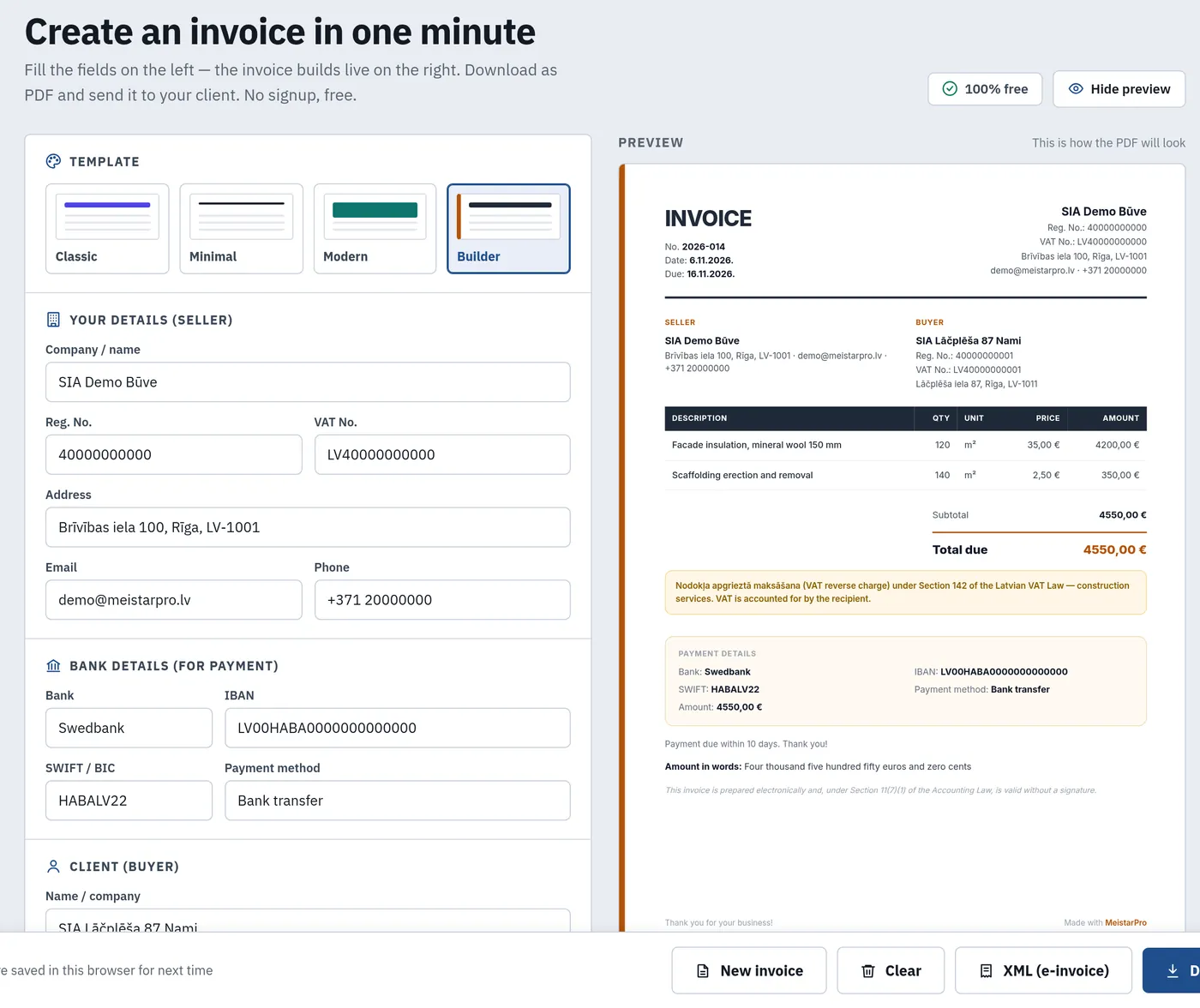
Invoice, advance invoice, credit note and waybill as PDF — with construction reverse-charge VAT, amount in words and XML e-invoice. Free, in Latvian, Russian and English.
Where construction invoicing goes wrong
The invoice is the last step after the estimate and the acceptance act. Rebuilding it by hand every time costs money and time.
An Excel template per client
Numbering, company details and formulas are copied from an old file — errors included.
Reverse charge without the note
Construction services between VAT payers need a reference to Section 142 of the VAT Law. Without it the accountant sends the invoice back.
No idea what is paid
Advance and final invoices are scattered across email and folders. Finding out who has not paid means checking everything by hand.
From estimate to payment
MeistarPro prepares the estimate and the act; the invoice is made in the free invoicing tool with the same MeistarPro ID account and client list.
Estimate
Build the estimate in MeistarPro estimating or the free estimate generator. Client details are stored in the client list.
Acceptance act
Once the crew's stages are accepted, MeistarPro creates an act from the accepted work with your company details.
Invoice
Issue an advance or final invoice, download PDF or XML, email it to the client and mark it paid.
What the invoicing tool does
Everything a construction firm or a self-employed tradesperson needs to get the invoice right first time.
5 document types
Invoice, advance (prepayment) invoice, credit note, waybill and waybill-invoice. Four layouts, including «Builder».
Reverse-charge VAT
VAT 21 %, no VAT, or the reverse-charge regime with the Section 142 note — for construction services between VAT payers.
Amount in words and details
Mandatory details under the Accounting Law and VAT Law Section 125, amount in words, line discounts and the valid-without-signature note.
XML e-invoice
A structured UBL 2.1 e-invoice following LVS EN 16931 — hand it to your accounting system or e-invoice operator.
Clients and «My invoices»
With a free MeistarPro ID account invoices and clients are saved. Statuses: draft, sent, paid, unpaid.
Send by email
The invoice goes out with the PDF attached, the client sees your company as the sender, and replies come to your inbox.
Free invoicing or full MeistarPro?
The invoicing tool is free for everyone. MeistarPro is for when you need to run projects, crews and payroll.
| Feature | Invoicing tool | MeistarPro |
|---|---|---|
| Invoices, advance invoices, credit notes as PDF | Yes | Yes |
| Reverse-charge VAT, XML e-invoice | Yes | Yes |
| Estimates with a work catalogue and margin per line | No | Yes |
| Project with walls and stages from the estimate | No | Yes |
| Act from accepted stages, PDF photo report | No | Yes |
| GPS time tracking, timesheet and payroll | No | Yes (Pro) |
| Price | Free | From €19/mo + VAT, 14-day free trial |
Lines from the estimate are copied into the invoice by hand for now — there is no automatic estimate → invoice transfer. The tool does not replace accounting (tax reports).
Frequently asked questions
Is the invoicing tool free?
How do I issue a reverse-charge VAT invoice for construction?
Can I issue an advance (prepayment) invoice?
Is the invoice created from the estimate automatically?
Can I create an e-invoice?
Issue your first invoice now
The invoicing tool is free. Run estimates, projects and payroll in MeistarPro — 14 days free.